How-to.Jun 11, 2026, 02:53 PM.NoName

Question about modular assembly

NoNameThread starter.Jun 11, 2026, 02:53 PM
Hello Dieter,
​I hope you are doing well.
​In your videos, we noticed that you assemble your models from pre-made modules. In our work, we find it most convenient to use the same approach - first designing modules and then assembling complete sheds from them.
​Could you please explain how to do this properly in AutoStrek, or if such a feature is available? We would like to design several standard modules and then assemble sheds out of them directly within the software. It is very important for us that the material calculations/estimations work correctly and that we can view the actual, accurate diagrams.
​Unfortunately, I couldn't attach the photos of our modules due to a browser error on the website. However, I would be happy to send them to you via email or any other convenient way if needed.
​Thank you for your time and help!
​Best regards,

Dieter.Jun 11, 2026, 05:21 PM

Hi. Yes, building modules should be possible, but it requires manual work using the CC tape measure tool. You might want to take a look at this video (if you haven't already):https://youtu.be/ddHRsxDoKho?si=m-RbBQ7V8EQ4oli4

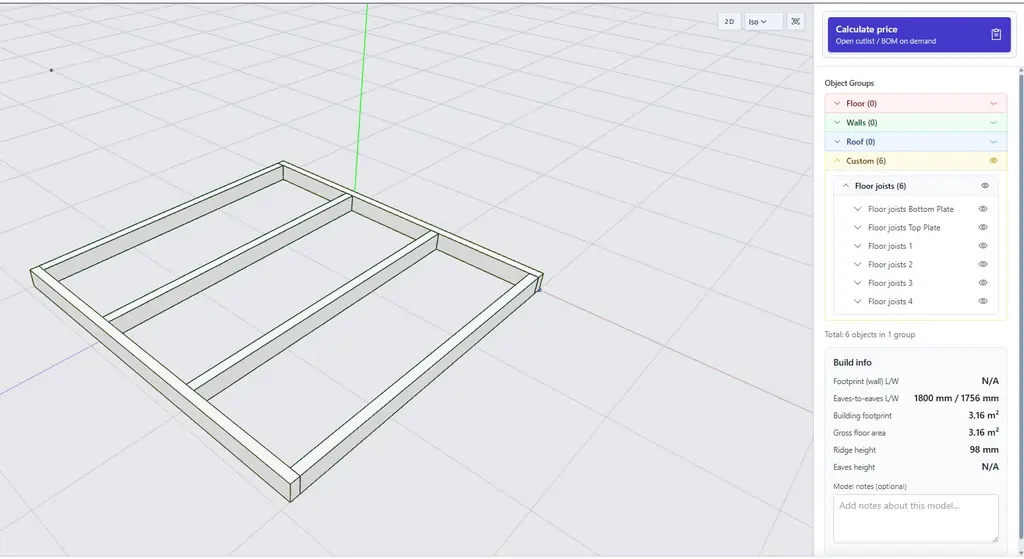
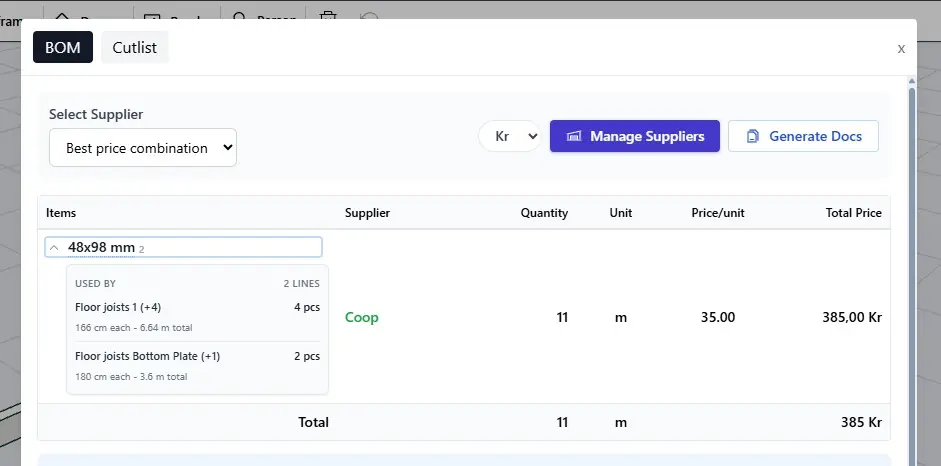
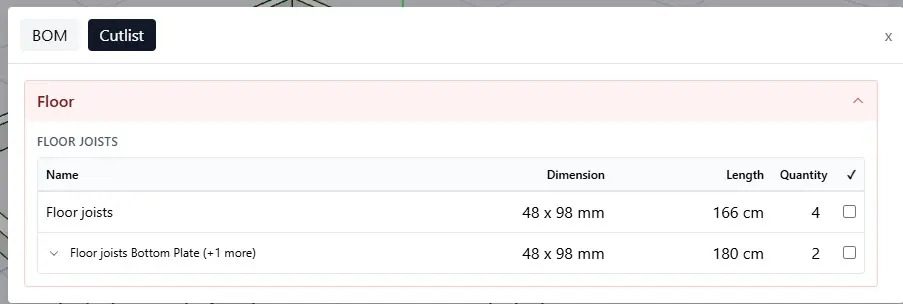
As long as you define your objects with proper names when working in "manual mode" the pricing calculator will define the dimensions and you add a list of all the objects to the cutlist and BOM (Bill of Material). I made a simple floor frame to illustrate.

The best would be to attach an image here, but send them to our support mail and i'll take a look at them and update this thread.

We are also currently working on a brand new tool called custom solid, which will give more flexibility to make more complex 3D shapes

Uploaded image
WebP - 903x304 (click to open)
Uploaded image
WebP - 1024x559 (click to open)
Uploaded image
WebP - 941x466 (click to open)
Sign in to post a reply. Go to sign in.